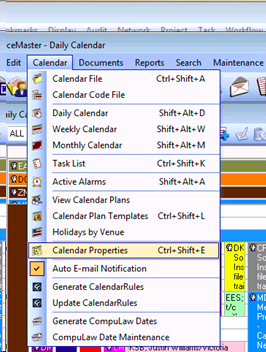
New users will sometimes experience their calendar being all white and basically unreadable. Go to Calendar at the top of PM and then select “Calendar Properties”.
Under the “General” tab, you will need to make sure that the option “Event Colors are based on User ID information” is checked.
Under the “Daily” tab, you can change the number of visible All-Day Activities to 3 or a similar number to improve readability.
Additionally, ensure that the “Auto Email Notification” option is checked (under the Calendar drop-down menu) so that PM prompts you to send an email when you add or change an event on someone’s calendar.
Comments
0 comments
Please sign in to leave a comment.