If you go on PM and get a message that you have duplicate user IDs running, please reset the user ID with the steps below.
Warning screen upon entering login –
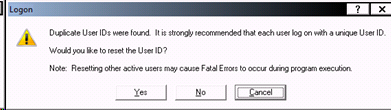
Click Yes.
Select your previous sessions (not the one logging in), hold Ctrl and click to select multiple sessions.
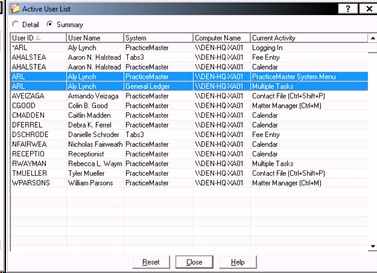
Click Reset.
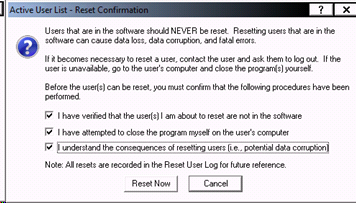
Click the three checkmark boxes and then click Reset Now.
Close the Active User List.
Comments
0 comments
Please sign in to leave a comment.