Occasionally, the Canon on the second floor needs to be cleaned. Luckily, this is an easy task!
There are a couple of things you can try:
First, try cleaning the glass of the scanner with a dampened cloth (can be found in the left hand cupboard). Clean as the instructions detail below:
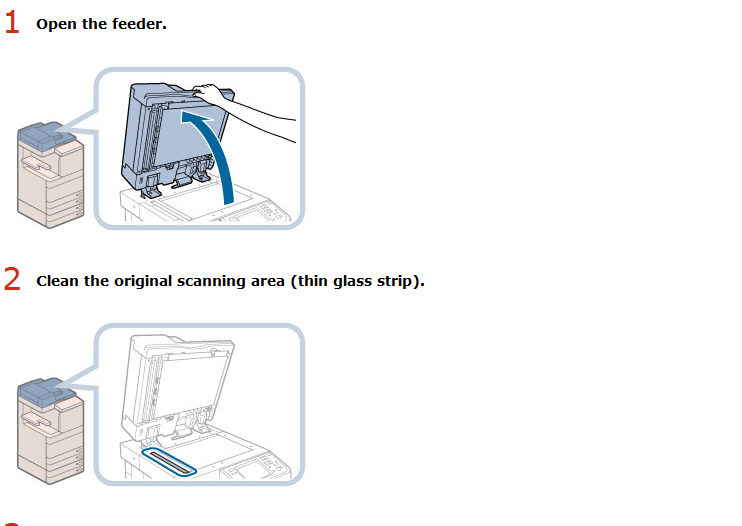
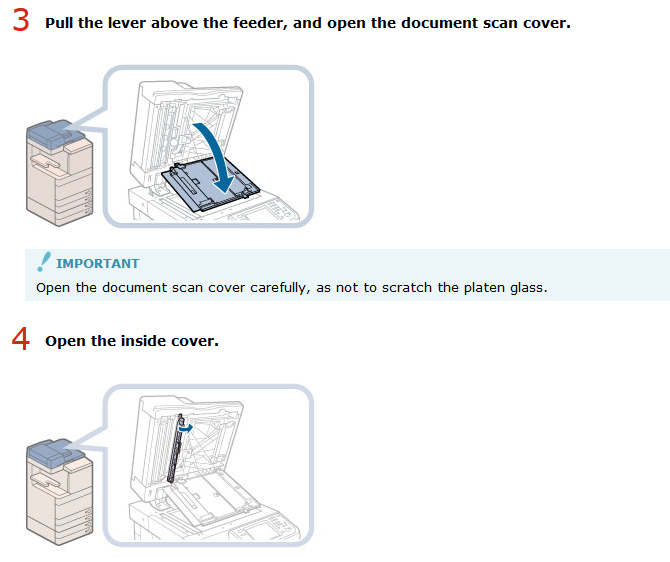
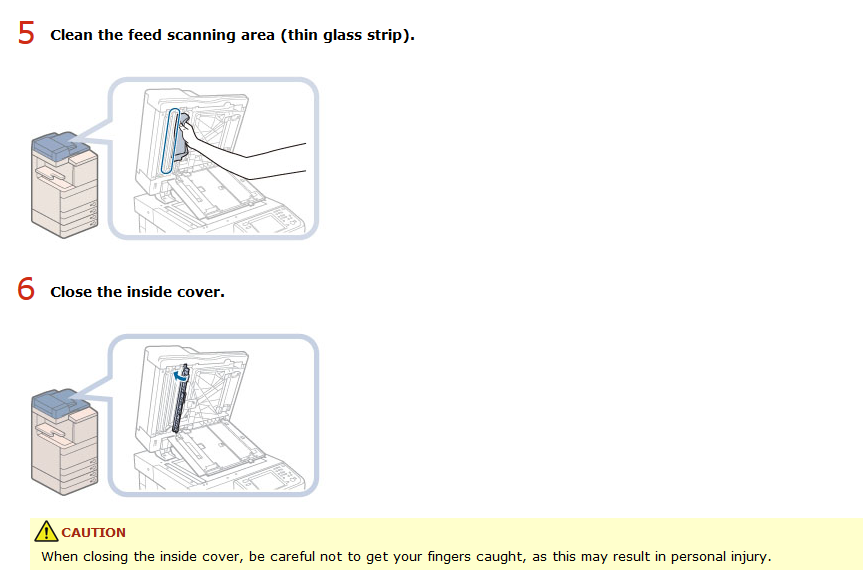
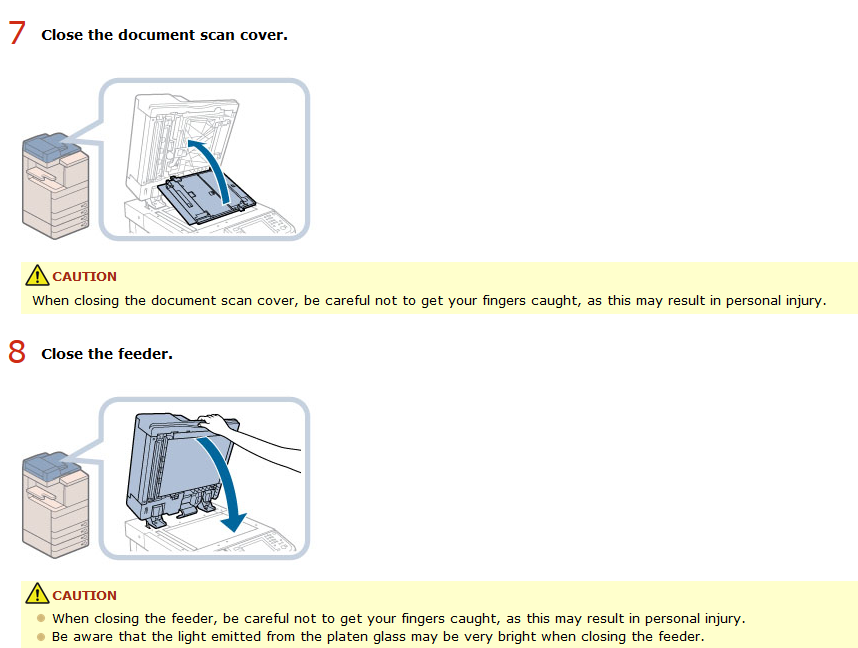
If that does not help, you can try using the cleaning function for the printer:
- On the right side of the screen, select "Registration".
- Select "Adjustment"
- Select "Maintenance"
- Select "Clean feeder"
- Insert 10 blank sheets in the feeder.
- Select "start"
Comments
0 comments
Please sign in to leave a comment.