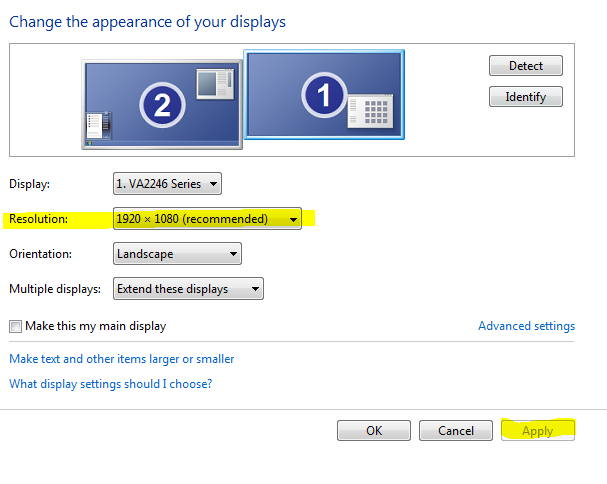
How to fix small screen resolution issues February 08, 2019 20:58 Go to the Windows Start button Select Control Panel Select Display Along the left side of the window, select "Adjust resolution" Select the monitor with the issue Under "Resolution" select the highest available Select "Apply" Select "Keep Changes" Comments 0 comments Please sign in to leave a comment.
Comments
0 comments
Please sign in to leave a comment.