Step 1. Click File
Step 2. Click options on the left side bar
Step 3. Click add-ins on the left side bar
Step 4. Using the drop down menu by Manage, click Word add-ins
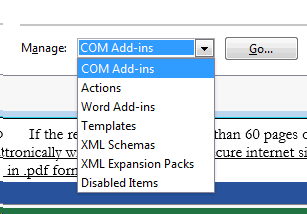
Step 5. Click go
Step 6. Uncheck @WD4WORDE.DOTM
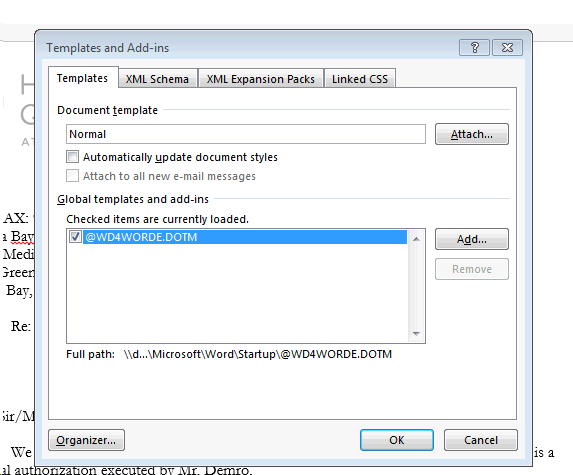
Step 7. Click okay
Step 8. (You should no longer see the WD add in at the top of the window)
Step 9. Do steps 1-5 again
Step 10. Recheck @WD4WORDE.DOTM
Step 11. Click okay. Click on the add-in to see that it is working.
**If it is still not working, submit a ticket to the tech team.
Comments
0 comments
Please sign in to leave a comment.