In the print window, select the printer you want to print to and click 'Advanced' to the right. 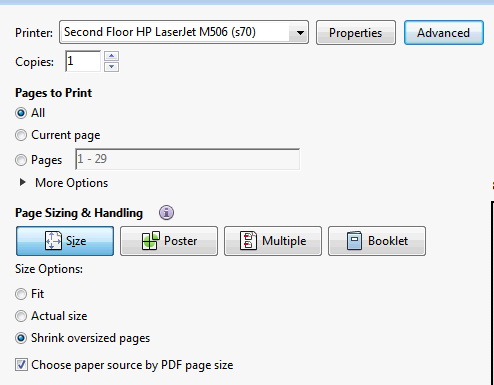
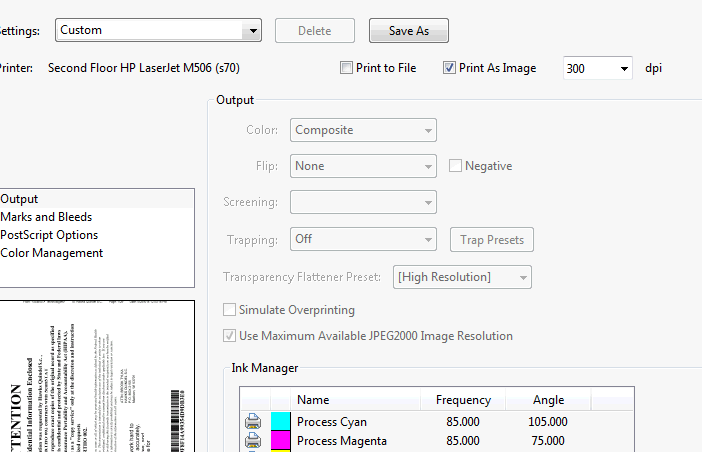
A screen like the one below will pop up. In settings select "Custom" and then check the "Print As Image" box. Then, click "Save As"
This will trigger a pop up to name the selected settings. You can name it whatever works for you. Click okay, and okay again. Then print your PDF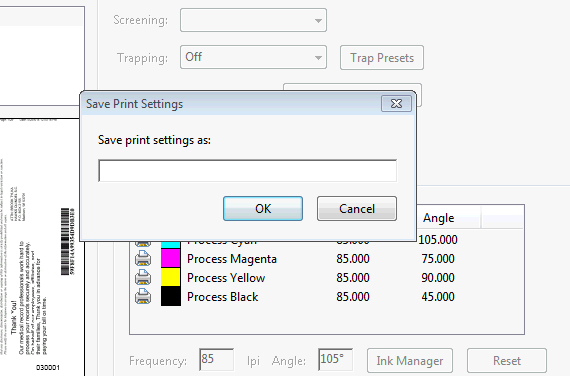
***If this does not stick, please submit a ticket!
Comments
0 comments
Please sign in to leave a comment.