1. Open Word from Webtop.
2. Right click on the "Home" tab on the tool bar. Click "Customize Ribbon".
3. Click on "New Group" at the bottom of the right hand column.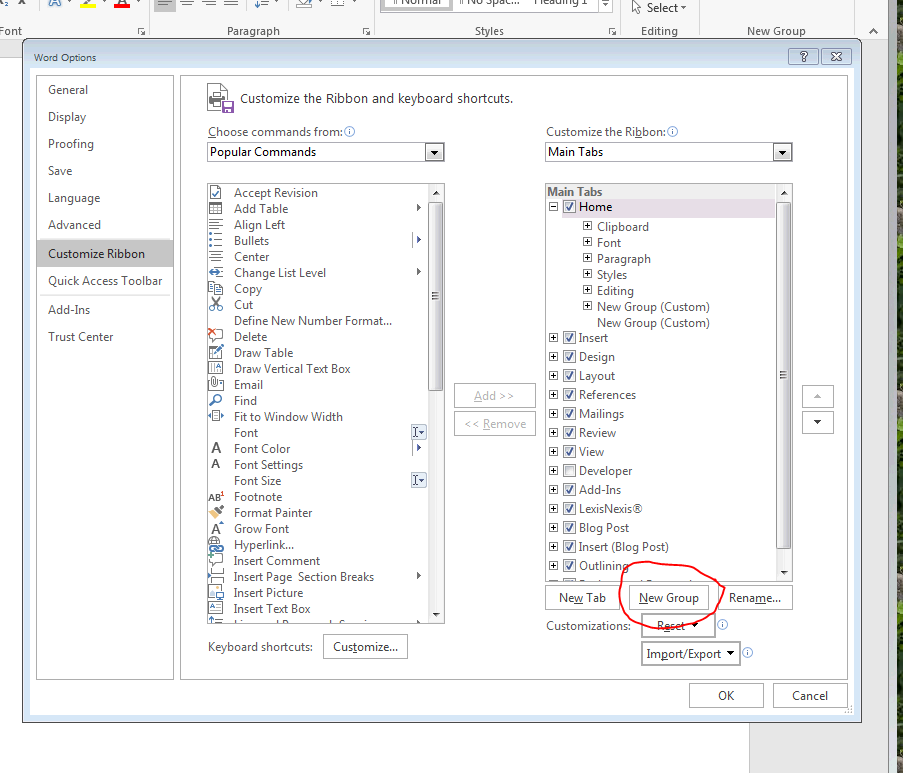
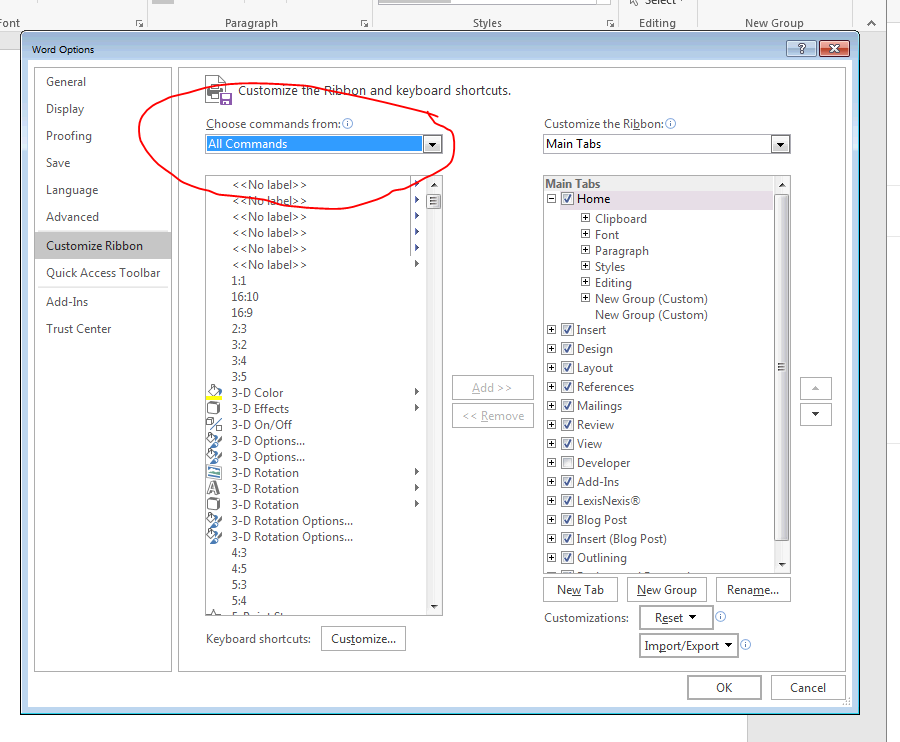
4. Click on the drop down menu above the left hand column and choose "All Commands".
5. Click inside the left hand column and type the letter "M". It will take you down to the M command section. Select "Make a PDF from Doc" and click "Add >>". Select "Make a PDF A from Doc" and click "Add >>".
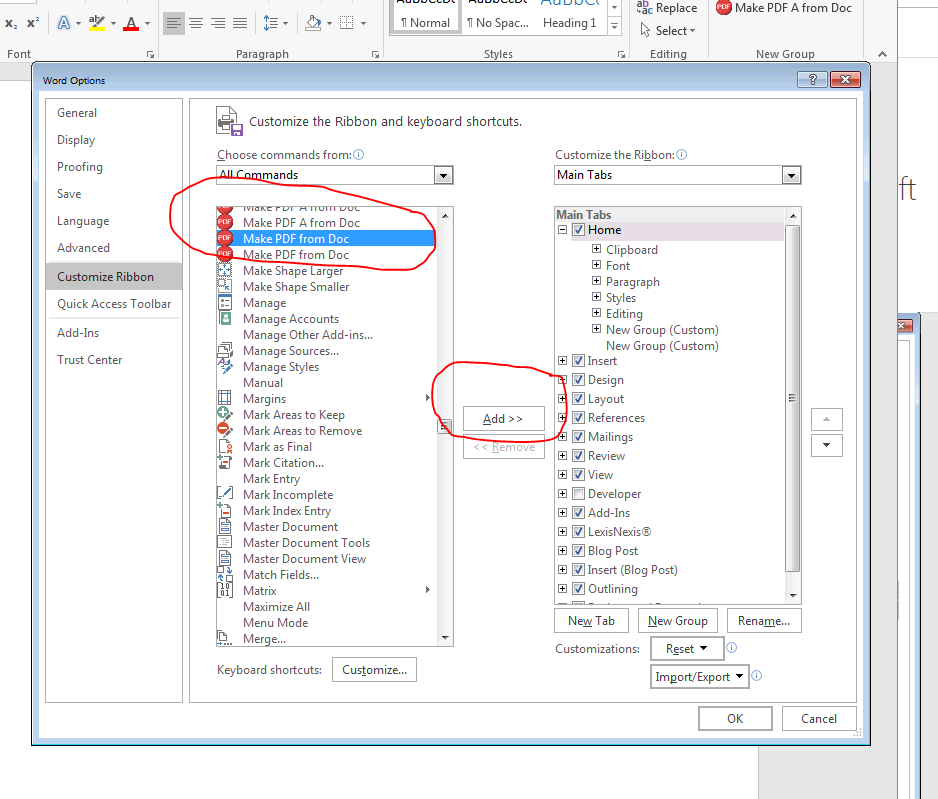
6. Click "OK" in the bottom right hand corner. The commands should appear on the right hand side of the "Home" tab. 
7. Happy PDF converting!
Comments
0 comments
Please sign in to leave a comment.