Navigate to the list of clients in the appropriate Profile Group (Client Files or Work Comp)
Highlight the name of the client you wish to activate or inactivate. (Note: If activating an inactive file you will need to switch the filter at the top to “Show All” or “Inactive Only” in order to view it).
Click on Edit Field at the top.
Switch from Active to Inactive or vice versa.

The same can be done with an individual matter by double-clicking on the client you want, the clicking on “Matter” on the left side.
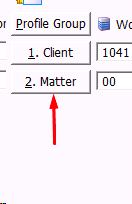
This will bring up the matter table. Do the same steps as above – highlighting, “Edit Field”, and switch the setting.
Comments
0 comments
Please sign in to leave a comment.