How to set the postage:
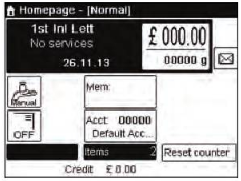
- Make sure you are on the home screen of the normal type of imprint. The type of imprint is located at the top of the home screen:
- Check the type of imprint by pressing
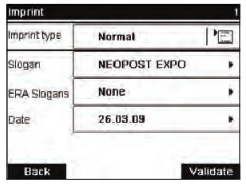
 to access the Imprint Screen
- To change the type of imprint, select "Imprint Type" and then select "Normal".
- To change the date:
- After 5pm, the mailing system automatically advances the postage to the next day.
- Select "Date" and then select date option in the "Date Advance" screen. Select "Today's Date" for printing today's date.
- Select "OK" to return to the home screen.
- To change the type of imprint, select "Imprint Type" and then select "Normal".
- Select a rate and add services
- Press
 to open the "Rate Selection" screen.
 - Type a rate number to select a rate or display new rate options.
- To select a recently selected rate: choose "Rate History"
- Press
- Select a weighing mode (if you did not enter any amount)
- Depending on the quantity and type of mail to process, choose an efficient weighing method
- To change the current weighing mode, press
 and select a weighing mode in the Weighing Type screen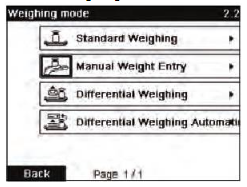
Comments
0 comments
Please sign in to leave a comment.