On the home screen, print postage directly onto mail by placing the mail on the Weighing Platform
The weight of the mail piece is displayed in the Weight Area of the screen and the postage amount is updated on the top right of the screen.
Press to get the system motors to start running
Withdraw the envelope from the Weighing Platform and insert it into the mail path against the back guide wall with the front of the envelope facing upwards.
If the mail piece is larger than the path maximum thickness, press to print a label.
The Mailing System prints postage and the mail piece is sent to the catch tray
** To automatically seal mail, make sure the sealant is turned on along the base of the Mail Machine.
 to get the system motors to start running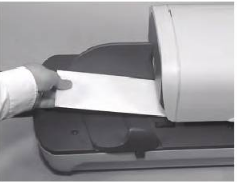
 to print a label.
Comments
0 comments
Please sign in to leave a comment.