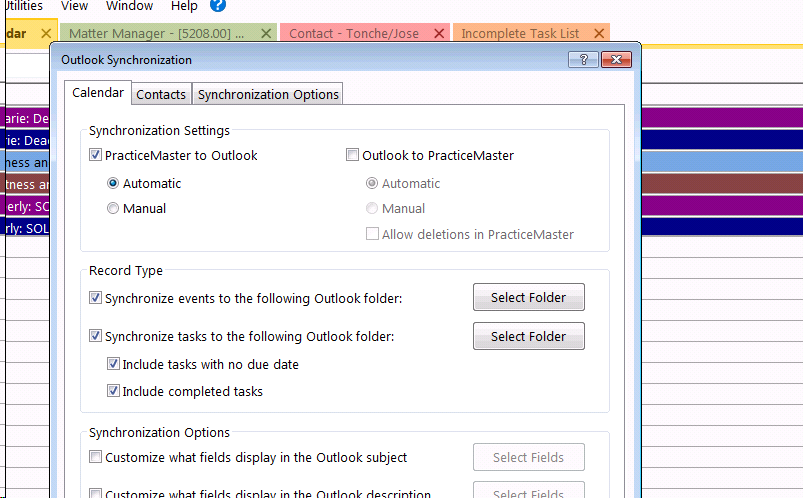
To turn your Outlook to Practice Master Synchronization back on:
1. In PM, click on the ‘Maintenance’ tab, located at the top of the window.
2. Click ‘Integration’
3. Click ‘Outlook Synchronization’
4. Click the box next to ‘Outlook to PracticeMaster’
5. Relaunch your programs and you should be good to go!
Comments
0 comments
Please sign in to leave a comment.