When you try to send an email with an attachment, you will see a pop up like the one below. It is fairly similar to the metadata scrubber we had before. Except with this version we should not experience Outlook freezing right before clicking send.
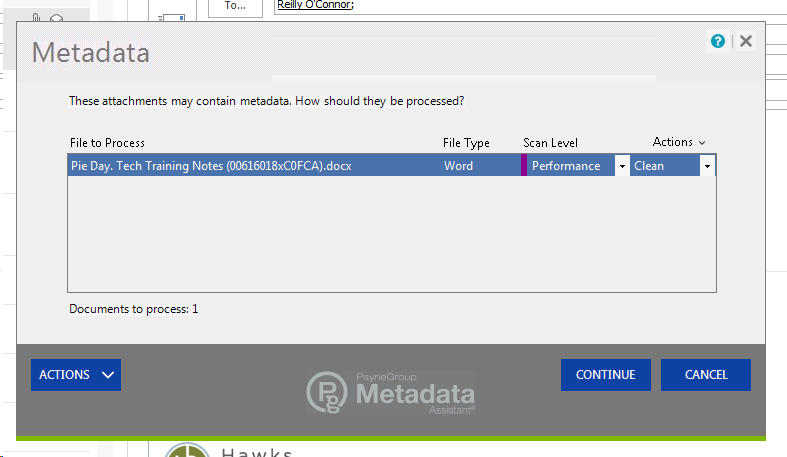
Some new things to notice:
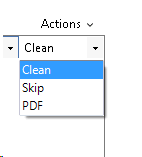
There are 2 drop down menus to the left of each attachment:
1. Scan Level: There are different levels of metadata scrubbing.
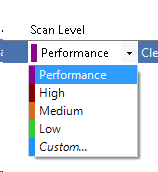
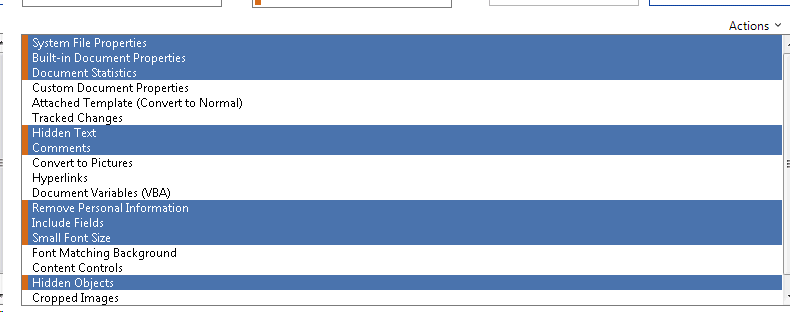
Below are screenshots of each scanning level. The highlighted text indicates which cleaning actions the scrubber will perform for each level. The level is indicated by the color on the left side of the text that is highlighted. You can refer to the drop down above to see which color relates to which setting. ( I put them in order from low to high)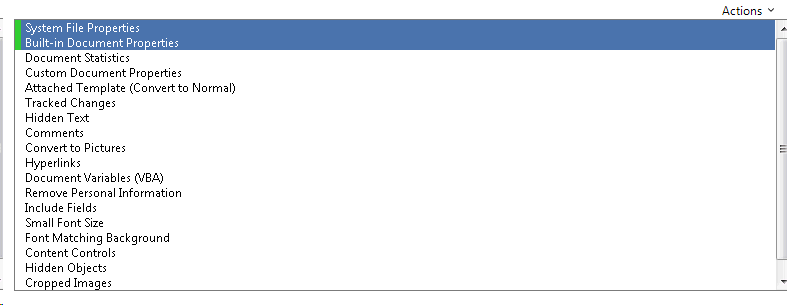
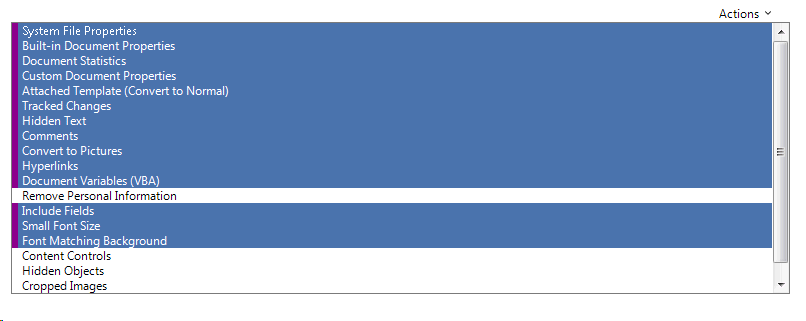
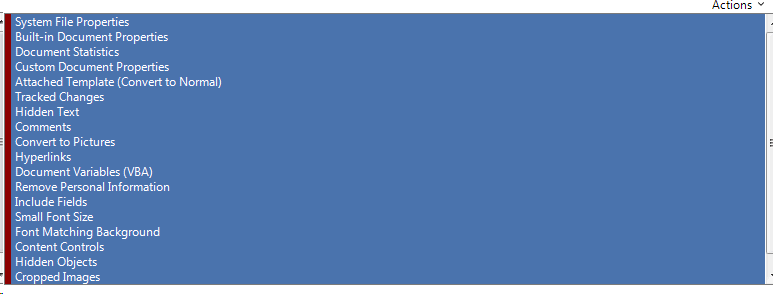
2. Action: This allows you to select whether you would like to clean the document or not (skip).
***The PDF option will only be available if you are already sending a pdf. I would not use it because requires a specific configuration of our PDF printer. However, if you think this would be a helpful option for you, I can look into how to configure your account to use it.
_____________________________________________________________________________________________
Optional Settings:
-
Only deal with the scrubber pop up when you are sending attachments externally.
-
I figure most of us click skip when we send attachments internally. This setting will allow you to bypass having to click "skip" each time.
-
Step 1: In the metadata pop up screen, there will be a blue drop down menu that says "ACTIONS". Click on it and then click "Preferences..."
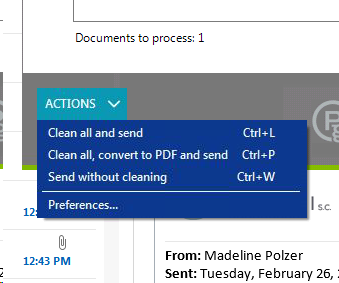
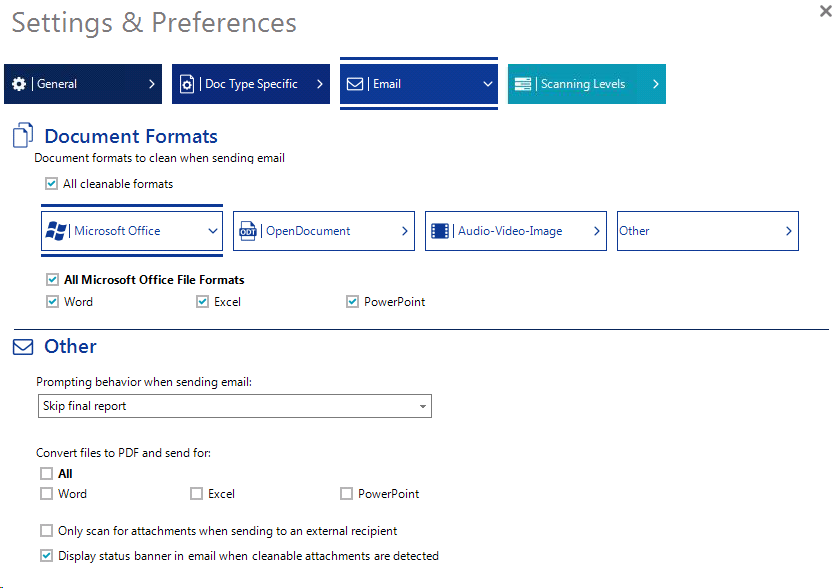
Step 2: Another window will pop up and look like the one below. At the top, select the icon that has an envelope on it and says "Email".
Step 3: In the section that says "Other", click the check box that says only scan for attachments when sending to an external recipient.
Comments
4 comments
My computer still freezes when the new metadata scrubber opens. The drop-downs don't function and I need to use task manager in order to close out.
Thanks for letting me know, Laura. I have created a ticket linked to your comment. I will talk to DNI to see what they say.
I got a message this morning that the metadata trial had expired and now I can't send emails with attachments externally. Do I need to install a plugin or something?
Thank you for letting me know! Here is what you can do for now:
Hi Attorneys and Paralegals,
So sorry, the company who was supposed to install our software for some reason did not transfer us off the trial and onto the actual software. This means that until they install the software, we all need to disable the metadata add-in. DNI is working with the Metadata Company to get this installed ASAP.
Here are the instructions for disabling the add-in: https://hq-law.zendesk.com/hc/en-us/articles/360022286111-How-do-I-enable-or-disable-an-add-in-in-Outlook-
This same process will also work for enabling the add-in once the software is fully installed. I will update you as soon as I hear the software is ready to go.
Let me know if you have any issues! Thanks!
Please sign in to leave a comment.